Not another AI chatbot.
SyntheticBrew — the open-source
agent brewery
Describe what you need. An AI builder wires up agents, tools, memory, and flows for you.
Self-hosted. Any LLM. Production-ready in one Docker command.
Live demo: the AI builder wires up a multi-agent system, then the chat tab runs it. Hover to pause.
You want AI in your product. Not a 3-month infrastructure project.
Every team building agents runs into the same walls.
Built it yourself
3–6 months of agent plumbing: orchestration, memory, tool calling, retries, observability. Your product waits.
Cloud AI platforms
$500–2,000/mo. Per-token billing that scales with usage. Your data leaves your infrastructure.
Python frameworks
A library, not a product. No REST API, no admin UI, no session persistence. You're still building the runtime.
AI Builder
Agents that build agents
Tell the builder what you need — it configures agents, tools, memory, flows, and gates for you. No YAML to memorize, no SDK to learn.
The builder itself is a SyntheticBrew agent. It runs on the same engine it configures — the best proof the platform is production-ready. Dogfooded end-to-end.
- One prompt → supervisor + specialists wired up, tools bound, memory scoped
- Iterate in chat — "add a gate before delivery", "give the researcher memory"
- Visual canvas stays the source of truth — click any agent to inspect or override
One Docker container. Full agent runtime. Your data stays with you.
Your server talks to SyntheticBrew via REST API. Agents think, call tools, stream responses back.
Your server handles authentication, then forwards requests to SyntheticBrew.
How it works
From description to production in minutes, not months.
Describe
Tell SyntheticBrew what you need
Write what the system should do in plain English. The AI builder proposes agents, tools, and flows — or configure each piece yourself in the visual canvas.
Brew
Agents assemble themselves
SyntheticBrew composes the schema: supervisor + specialists, tool bindings, gates between stages, memory scope. ReAct reasoning out of the box.
Run
Ship to production
REST API + SSE streaming. Built-in web client and embeddable widget. Memory persists, flows coordinate, Inspect dashboard shows every step.
Every piece ships in the box
Admin Dashboard, AI Builder, Widget generator, Knowledge base — built-in, not bolted on. Use as-is or build your own UI on top of the REST API.
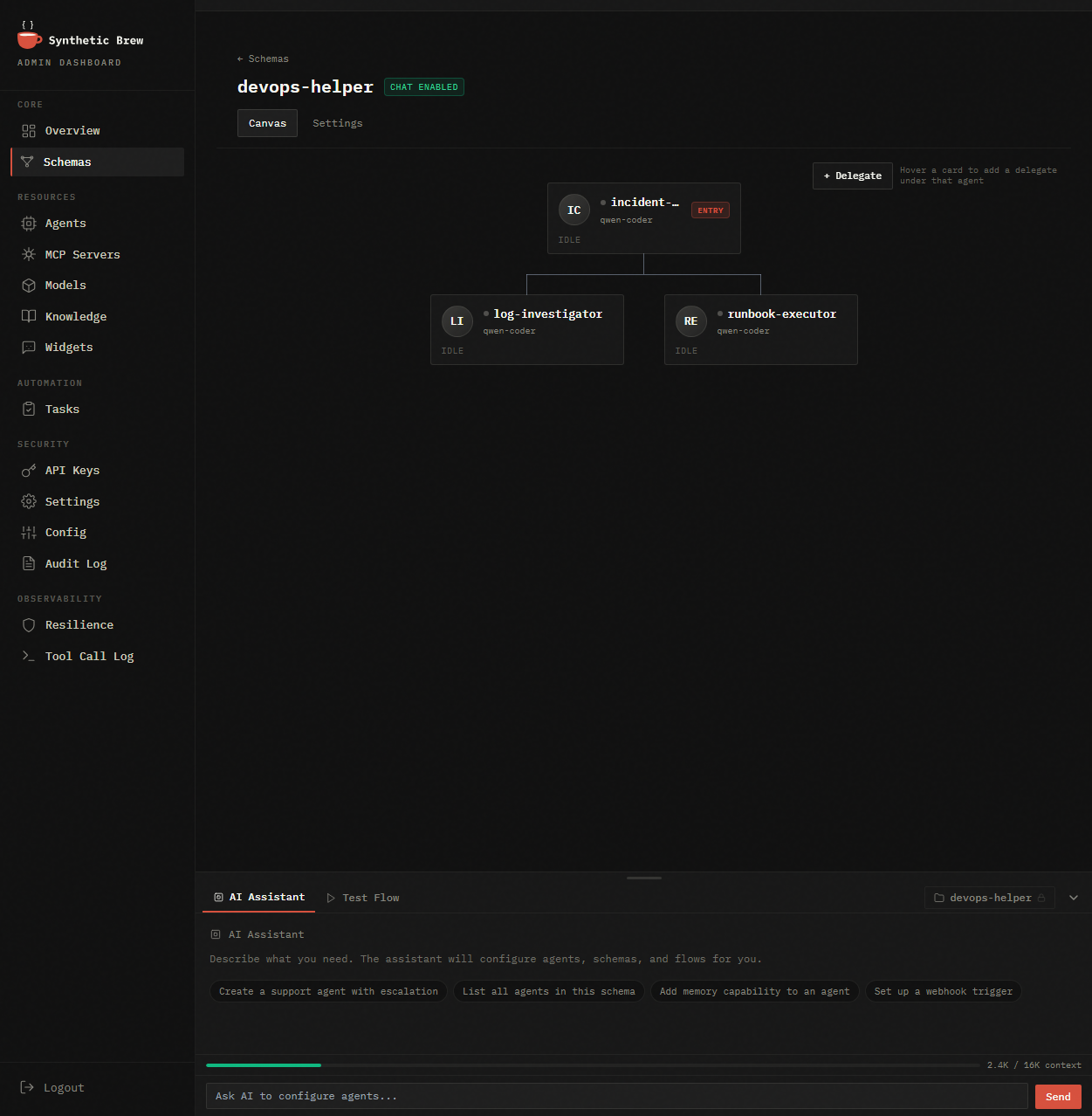
Admin Dashboard
Schemas, agents, MCP servers, models, triggers, audit log — every knob of the engine in one place.
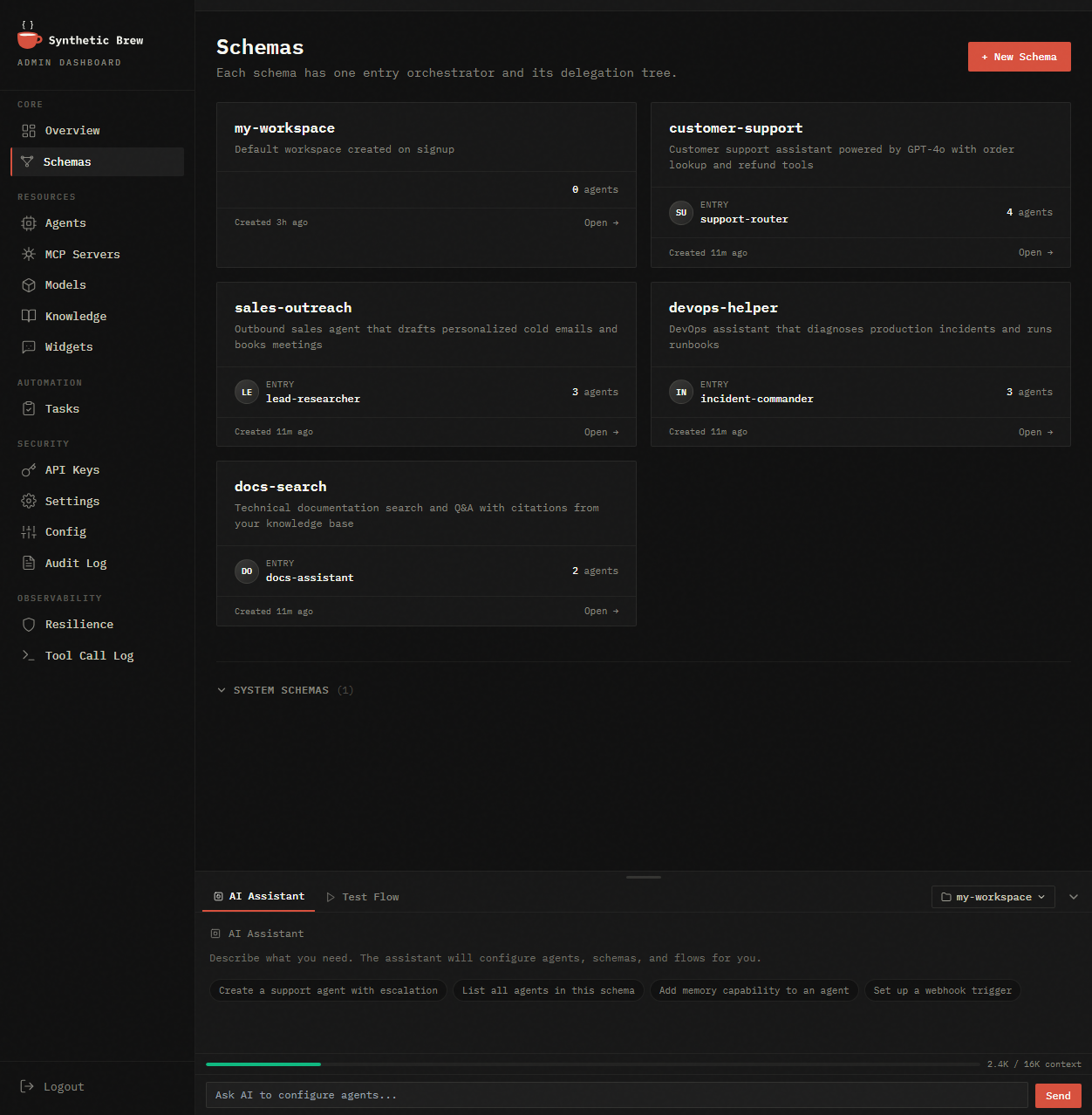
Widget Generator
Pick a schema, customize the look, copy one <script> tag onto your site. Chat is live.
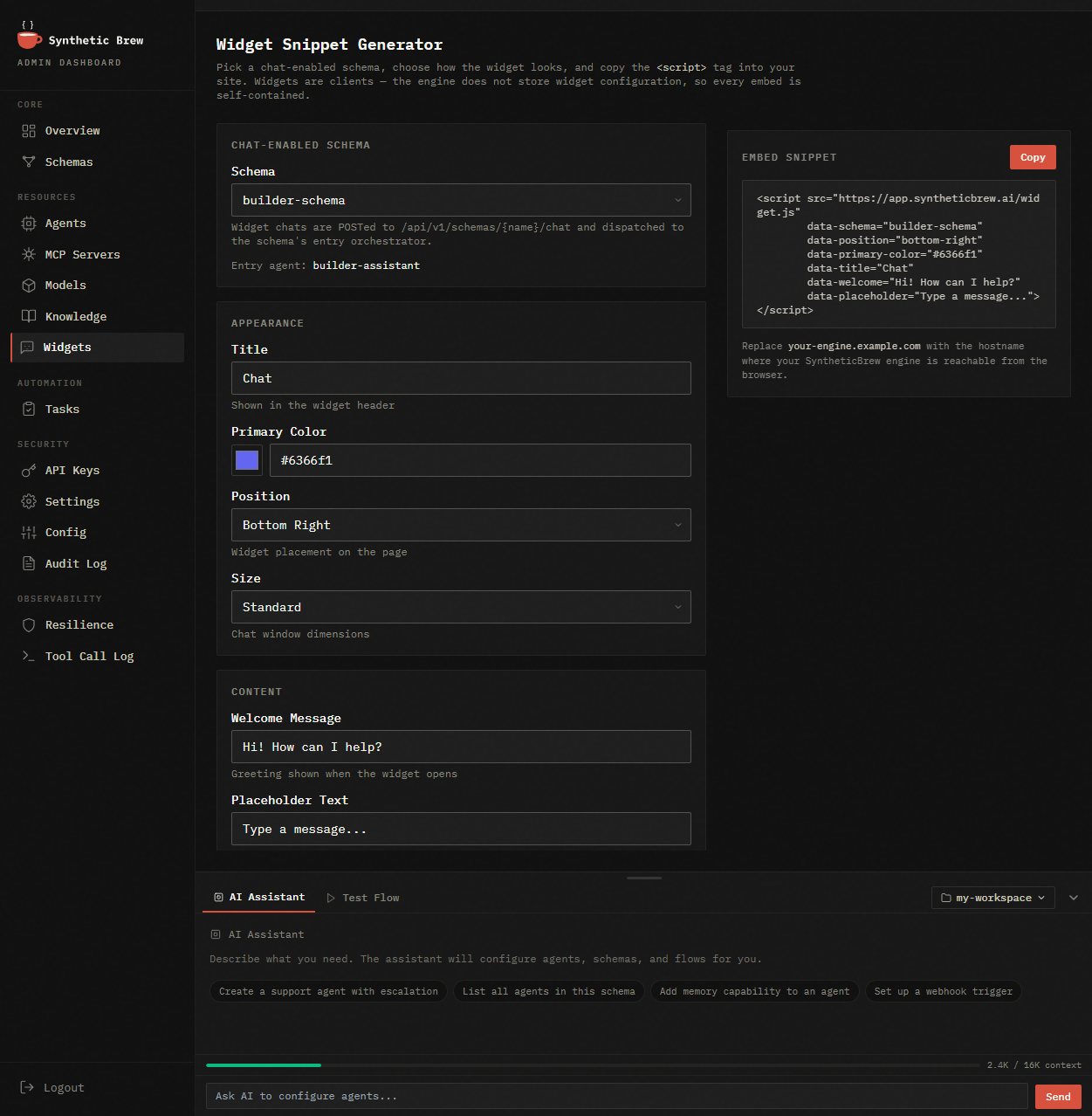
Knowledge Base
Upload PDFs, DOCX, URLs. Agents search via vector similarity automatically — no RAG plumbing on your side.
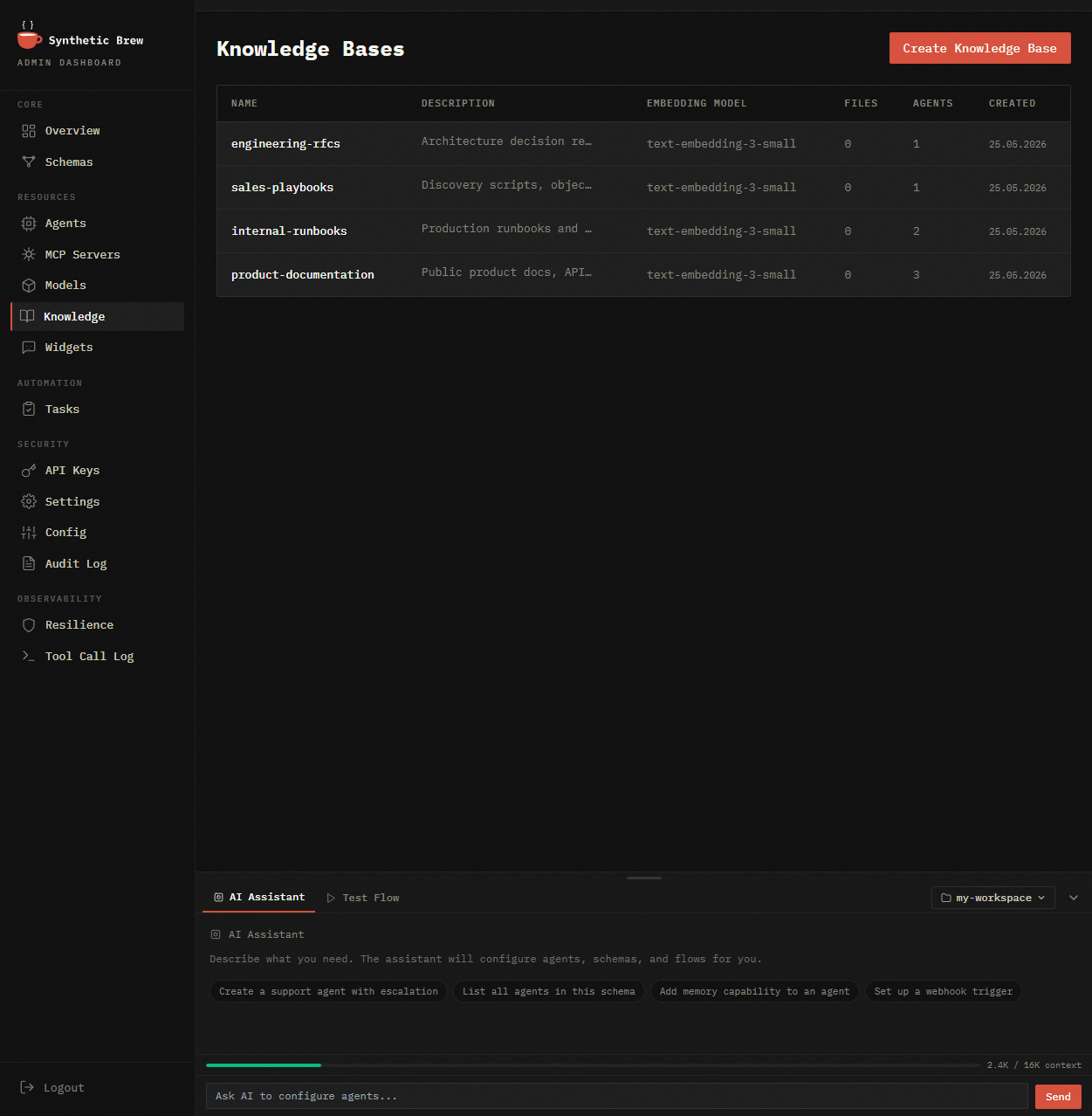
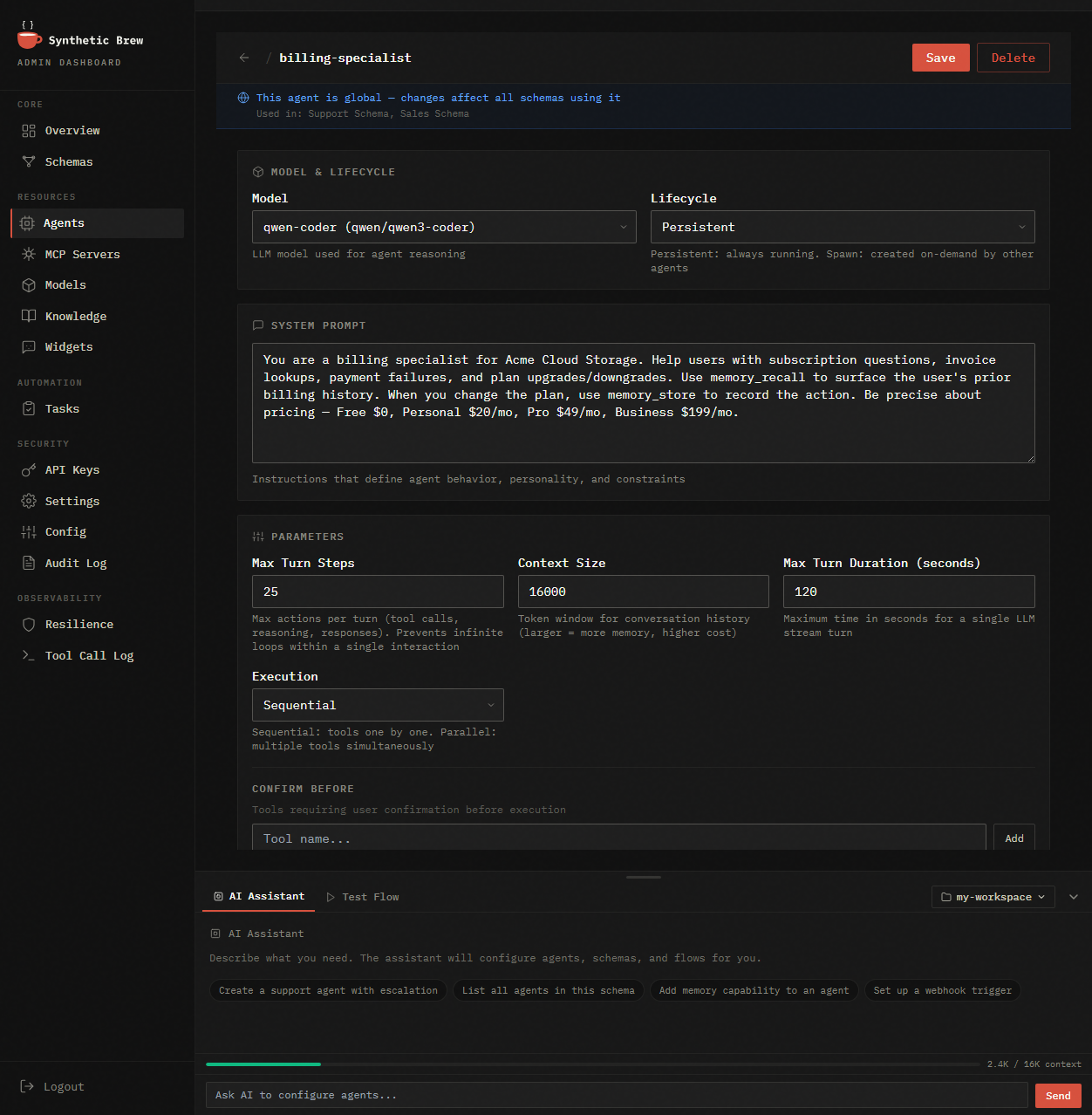
Agent Detail
Drill into any agent: system prompt, model, tools, spawn rules, memory config. Export/import as YAML.
Everything your agents need
Built-in, not bolted on. Every capability included in one container.
AI Builder
Describe what you need in plain English. The builder configures agents, tools, flows, and memory — itself running on SyntheticBrew.
ReAct Reasoning
Agents think step-by-step: Reason → Act → Observe → Repeat. Not scripted flows — genuine reasoning.
Memory
Per-schema, cross-session persistence. Agents remember customers, context, and decisions across conversations.
Multi-Agent Flows
Agents coordinate via flow edges, transfer, and spawn. Build teams of specialized agents with gates and loops.
Knowledge / RAG
Upload PDF, DOCX, URLs. Agents search knowledge automatically. Per-schema isolation.
Knowledge Graphs
Declare your domain as typed entities — categories, attributes, relationships. The engine auto-generates MCP tools for deterministic retrieval. No hallucinated IDs, full recall on structured queries.
Embeddable Widget
Generate a chat widget and embed one <script> tag on any site. Connected to your agents, your data.
MCP Tool Ecosystem
Connect to any external service via MCP. Curated catalog, one-click install. Stdio, SSE, Docker transport.
Inspect Dashboard
Full session trace: every reasoning step, tool call, memory access, and decision — searchable.
Recovery & Resilience
Heartbeat monitoring, MCP timeout handling, dead letter queues, circuit breakers for external services.
Updated in 1.4
Stop trusting your LLM to model your domain
Knowledge Graphs let you declare your domain ontology once. The engine auto-generates MCP tools for deterministic entity retrieval — no hallucinated IDs, full recall on structured queries, GitOps-native.
1.4 update: batch fetch, summary projections, server-side sort, and range filters cut typical agent retrieval token cost by ~12×. Split-by-directory bundle layout for catalogs that have outgrown a single file.
JSON Schema
category, brand,
product_attribute
Engine
validates refs,
builds tools
MCP tools
list_brand,
get_category, ...
Agent
grounded, cited,
zero hallucinated IDs
▸ Declarative-first, not extracted
Other platforms ask an LLM to extract entities from your docs. We ask you to declare them. JSON Schema in, typed MCP tools out. Zero extraction drift.
▸ Auto-generated MCP tools per entity
Each entity type produces list_X, get_X, list_X_ids tools. Filterable by any field you mark x-index. Total count returned, so the agent never misses an approved record.
▸ GitOps-native bundles
Your domain lives in git. brewctl kg apply ./my-bundle deploys atomically — all entities valid, or rollback. PR review, branching, rollback, Helm chart integration.
▸ Coexists with vector RAG
Use Knowledge Bases for narrative search and Knowledge Graphs for structured retrieval on the same agent. Memory, Knowledge, Knowledge Graphs — three capabilities, three kinds of memory.
Your taxonomy
human-readable, what you already have
category
  └─ footwear  (Footwear)
       ├─ brand: north-aurora
       │         tier: premium
       │         carries: hiking boots
       ├─ brand: stride-co
       │         tier: mid
       │         carries: running shoes
       └─ brand: budget-basics
                 tier: budget
carries: casual sneakers Your declaration
JSON Schema in — typed MCP tools out
# schemas/brand.schema.json
{
  "x-id-field": "code",
  "properties": {
    "code":     {"type":"string", "x-index": true},
    "category": {"x-ref": "category", "x-index": true},
    "tier":     {"enum":["budget","mid","premium"],
                 "x-index": true}
  }
}

# Apply atomically:
$ brewctl kg apply ./my-bundle

# Engine now exposes auto-generated tools:
list_brand(filters={category, tier})
get_brand(id)
Your agent's answer
grounded, cited, zero invented IDs
User: "premium footwear brands?"

Agent tool call:
  list_brand(filters={
    category: "footwear",
    tier: "premium"
  })

Response:
  1 premium footwear brand:
  • north-aurora

Total returned: 1 (no missed records)
Secure by default
Production-grade defaults you don't have to think about.
Tamper-proof auth
Every API request is cryptographically signed. Forged tokens, downgrade attacks, replay attempts — all rejected at the door.
Zero secret management
No passwords, no rotating shared keys, no .env to leak. Self-hosted runs out of the box. Plug in your existing IdP with one public key.
Bring your own LLM keys
Pass per-customer LLM API keys via request headers — used once, never stored, never logged. Clean per-tenant billing without vendor lock-in.
No double-billing, ever
If usage tracking can't reach the cloud, requests stop — instead of silently double-counting later. Your invoice always matches reality.
Built for real operations
Not demos. Production workloads running 24/7.
Support agent in 5 minutes
Upload your docs to Knowledge, generate a widget, embed one <script> tag on your site. Agent remembers each customer across sessions.
AI-first product without the agent team
Embed agents into your SaaS via REST API. Self-hosted — data stays on your infrastructure. No vendor lock-in.
Autonomous data pipelines
Cron triggers start analysis agents. Sub-agents parallelize work. Gates validate output before delivery.
How SyntheticBrew compares
Every approach has trade-offs. Here's where SyntheticBrew fits.
| Traditional Approach | The Problem | SyntheticBrew |
|---|---|---|
| Cloud AI platforms | Per-token pricing, data leaves your servers, locked to one provider | Self-hosted with your own API keys. Pay only your LLM provider — no markup |
| Agent SDKs / frameworks | A library, not a product. No API server, no admin UI, no scheduling | Complete runtime: REST API, admin dashboard, cron triggers, session management |
| Visual AI builders | Simple chatbots only. No autonomous reasoning, no tool calling, no sub-agents | Multi-step reasoning agents that delegate, call tools, and coordinate |
| Single-model APIs | One provider, no orchestration, no memory, no background jobs | Mix any models across agents. Built-in RAG, sessions, triggers |
| Custom in-house build | 3–6 months to build, ongoing maintenance, team distracted from product | Production-ready in 5 minutes. We maintain the engine — you ship your product |
Get started in 30 seconds
No PostgreSQL? No problem — it's included.
curl -fsSL https://syntheticbrew.ai/releases/docker-compose.yml -o docker-compose.yml && docker compose up -d What happens next
- Open localhost:8443 — Admin Dashboard
- Add your OpenAI / Gemini / Claude API key
- Describe what you need in the AI Builder — agents assemble themselves
- Open localhost:8443/chat/ to test instantly
- Connect your way — see options below
Total time: under 5 minutes. No config files.
Widget
Embed on any site
Generate a chat widget in the Admin Dashboard. One <script> tag — done.
Widget docs →REST API + SSE
Connect your app
Call POST /api/v1/agents/{name}/chat from your backend or frontend. Streaming responses via SSE.
API reference →MCP Tools
Extend with custom tools
Write your own MCP server in any language. Agents call it automatically via stdio, SSE, or Docker.
MCP guide →Powering AI agents in production.
Teams ship real AI products on SyntheticBrew — self-hosted, on their own infrastructure.
Open source. Community driven.
SyntheticBrew is BSL 1.1 licensed. Free to self-host, embed in your products, and modify.
Converts to Apache 2.0 after 4 years.
Start building agents today
Two ways to get started. Both free.
Cloud
No server to run. Start in minutes.
- Managed infrastructure
- Bring your own API key (BYOK)
- 1 schema · 1,000 agent steps/month
- 50 MB knowledge storage
Free during Public Beta. Terms may change.
Try Cloud Free →Self-host
Your infrastructure. Full control.
- Unlimited schemas, agents & steps
- Your own API keys, any LLM
- File & shell tools included
- Free forever — BSL 1.1 → Apache 2.0